A fine-tuned command center for your brand.
One personalised dashboard for you and your team, your live data from every tool your brand uses. Shopify, Klaviyo, Meta, QuickBooks and your socials, working as one and all controlled from your Claude or Chatgpt.
This tool has helped increase efficiency and decrease stress for founders right now willing to get up to date with AI.
Don't be left behind.
Your business, at a glance.
A complete example view: today's priorities, performance figures, six live business areas, the season checklist and team tasks.
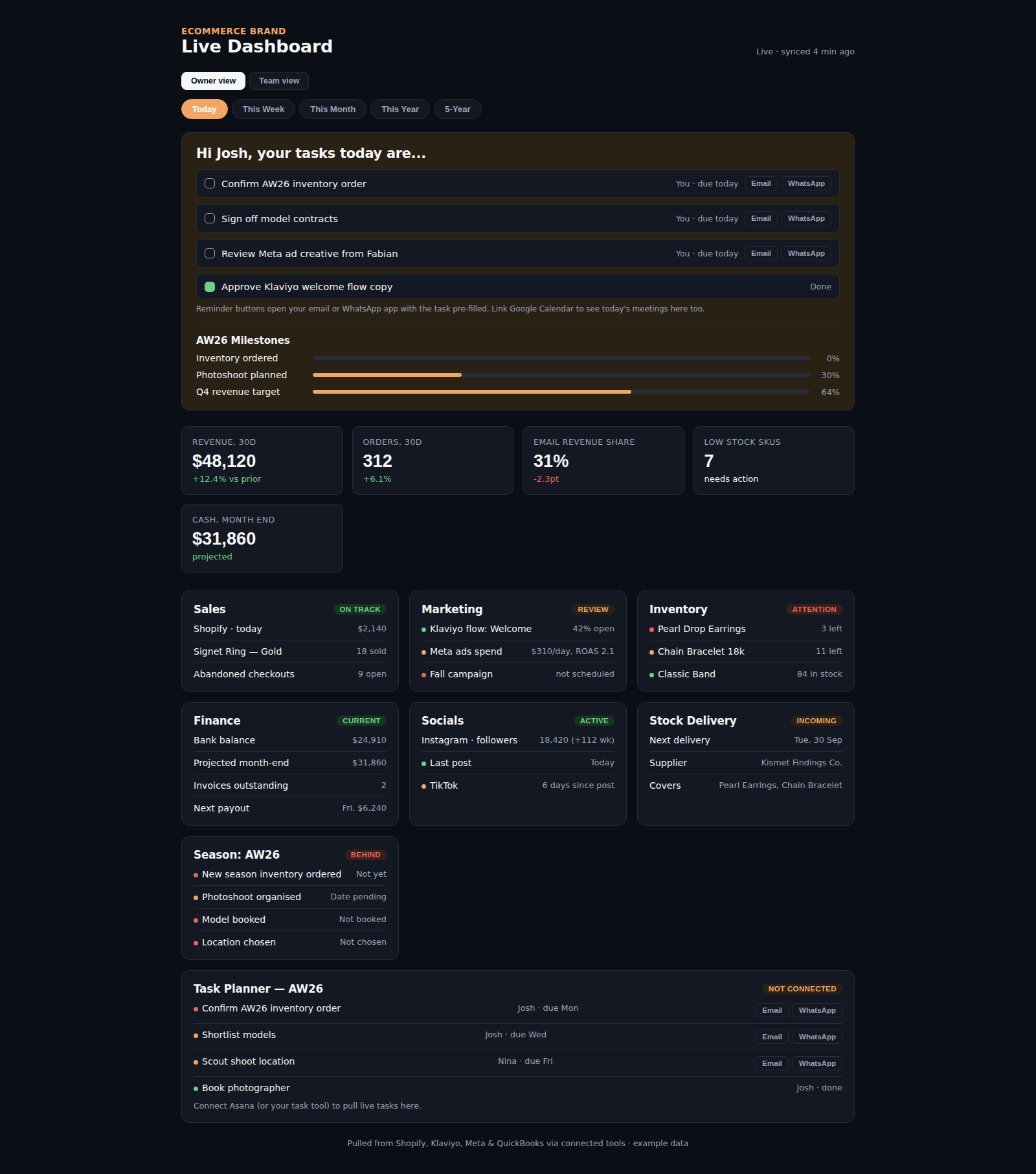
See everything
Sales, marketing, stock and finances on one live screen.
Know what to do
A daily brief that tells you exactly what needs doing today.
Move as a team
Assign tasks, send reminders and keep everyone in sync.
Everything your brand runs on, in one place.
These close-ups show how each part of the dashboard helps you and your team make the next decision.
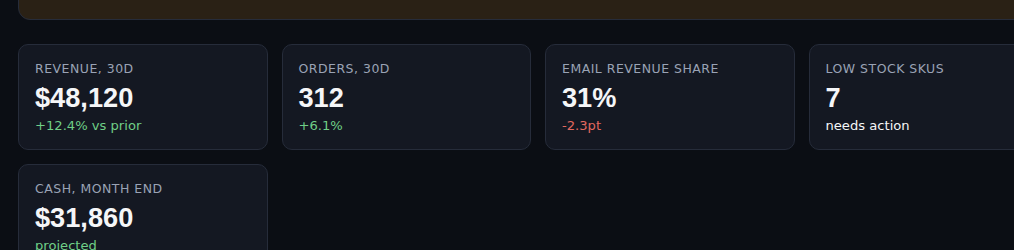
Know the numbers behind the day.
Revenue, order count, email revenue share, low-stock products and a month-end projection are visible before you open any individual module.
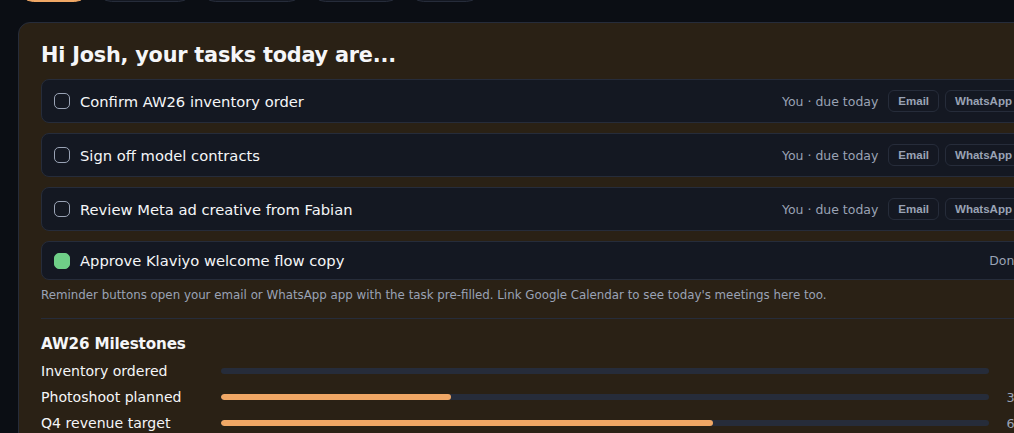
Good morning. Here is what needs doing today...
Every morning your dashboard greets you by name with a short, focused brief: exactly what needs your attention today, pulled from what changed across your store overnight. No opening five apps to work out where to start.
- A personalised greeting, every morning
- Today's priorities in plain English
- Built from live data across your tools
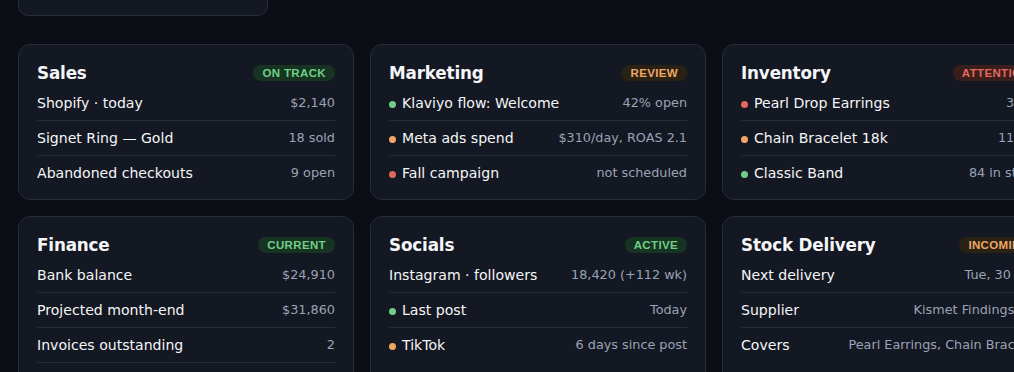
Every part of your business, updating in real time.
Sales, Marketing, Inventory, Finance, Socials and Stock Deliveries sit side by side. Spot abandoned checkouts, email performance, low stock and upcoming deliveries without hunting through separate tools. The figures are drawn from the tools your brand already uses, such as Shopify, Klaviyo, Meta and QuickBooks.
Always know where next season stands.
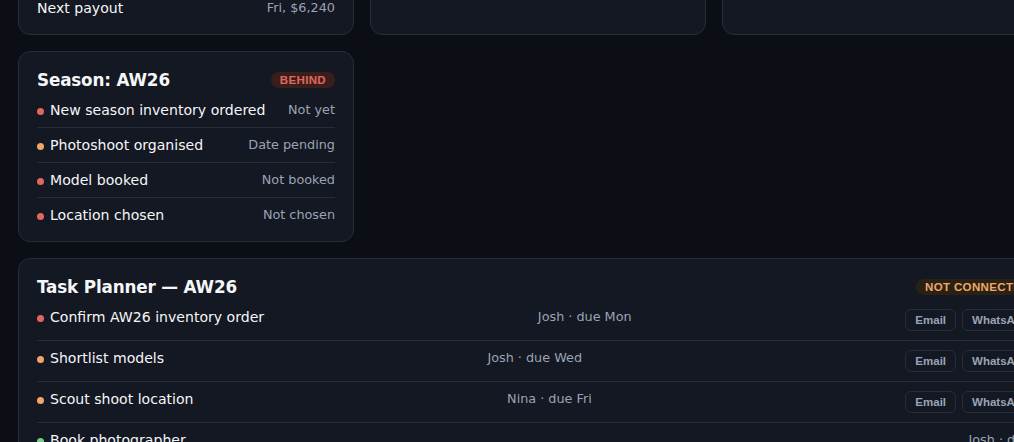
See next-season inventory, photoshoots, models and locations in one checklist. The example view also shows AW26 milestones and their progress, so you can see what is complete and what still needs attention.
- Next-season inventory at a glance
- Photoshoots, models and locations tracked
- Early warnings before deadlines get close
Today's tasks, tied back to your bigger goals.
Switch between Today, This Week, This Month, This Year and your longer-term view. The example screen shows the Today view, with the tabs always close at hand when you want to zoom out.

You see everything. Your team sees their work.
The owner view brings the business-wide picture together. A separate team view keeps each person's tasks in focus, without giving everyone the same screen to sift through.
- Owner view of the whole operation
- Personal views for each team member
- Everyone focused on their own tasks
One click, and the reminder is sent.
The task rows place Email and WhatsApp reminder actions beside each deadline. Chase the right person without copying the task into another tool.
- Send by email or WhatsApp
- Remind yourself or your team
- Straight from the task, one click
Assign work straight from the dashboard.
Keep the task, its owner, due date and status together. The example planner shows jobs assigned to Josh and Nina, with outstanding work and completed tasks visible in the same list.
- Assign from anywhere on the dashboard
- Instant notifications for your team
- Nothing gets lost between tools
Built around your brand, not a template.
Your dashboard is fine tuned to your tools, your team and your goals. Tell me how you run the business and i'll build the command center around it.
Book a setup call